GOLFZON SOCIAL1.6.2
Publisher Description

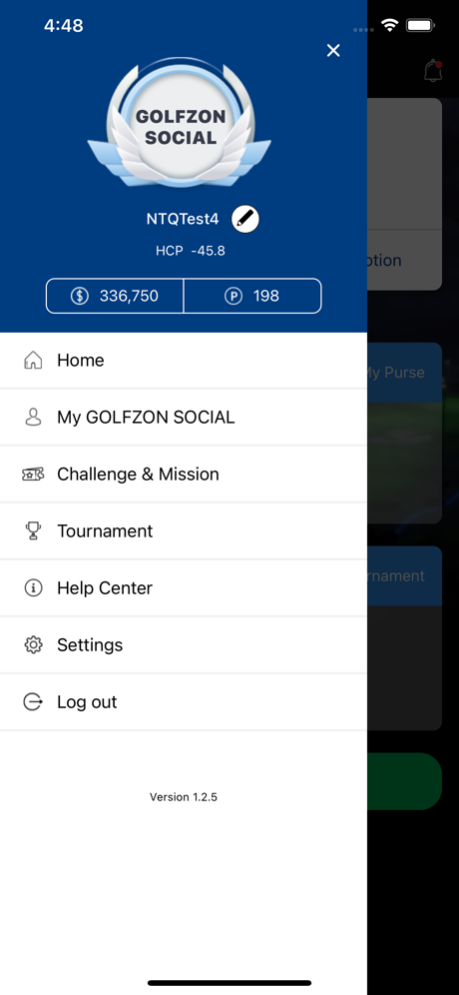
■ Mission and Rewards
Challenge your golf skills and receive cash or point rewards through Missions such as Par 5 Albatross, Par 3 Hole-in-One, or Par 4 Eagle. You can exchange the cash prize to real money and use Points at GOLFZON SOCIAL shops. Rewards are redeemable only through GOLFZON SOCIAL app.
GOLFZON SOCIAL app is completely free.
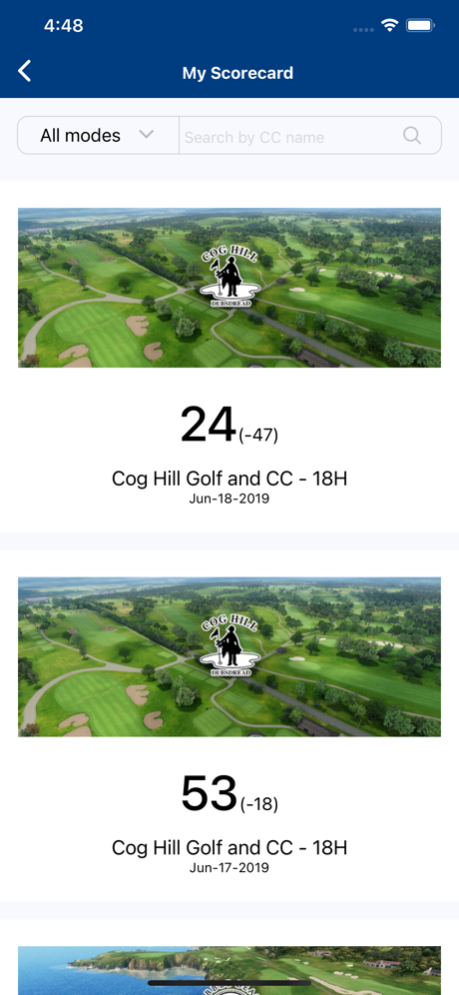
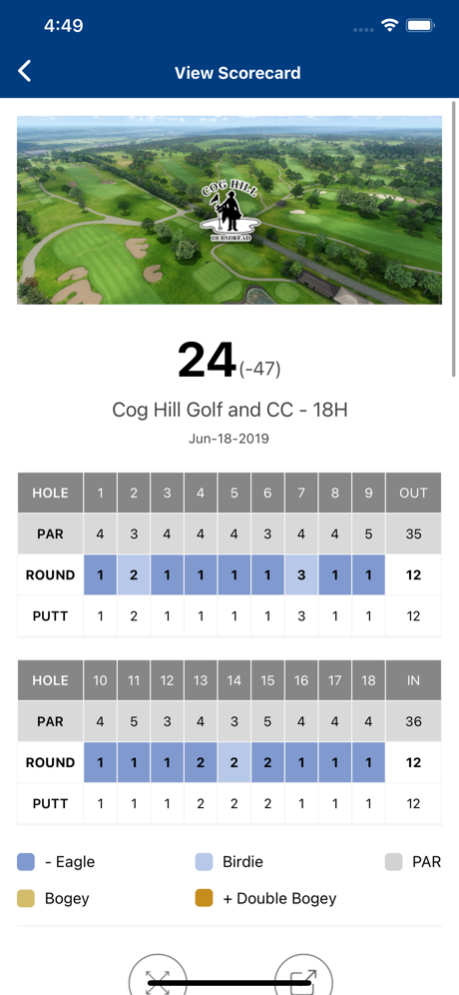
■ Scorecard
GOLFZON SOCIAL simulator supports Tournament mode, Challenge mode, Regular mode and other round options.
Based on personal round records, users can review scorecard and shot data analysis.
Also, you can communicate with friends by sharing round data or by SNS sharing function.
■ My Swing Replay
You can check your swing video and also see other users’ swings.
If you share your swing replay, you can be recommended or communicate with users by reply comments.
■ Compare to
Compare your round record with your friends by various measures such as average score, flying distance, fairway hitting rate and so on.
1.2.6(21)
■ Change the basic design GOLFZON SOCIAL
ZSTRICT brand was changed and updated on store to GOLFZON SOCIAL
■ Add store reservation function
Please reserve the store in advance by pressing the Reserve button
Jan 16, 2025
Version 1.6.2
Update logo for login screen
About GOLFZON SOCIAL
The company that develops GOLFZON SOCIAL is GOLFZON AMERICA, INC.. The latest version released by its developer is 1.6.2.
To install GOLFZON SOCIAL on your iOS device, just click the green Continue To App button above to start the installation process. The app is listed on our website since 2025-01-16 and was downloaded 1 times. We have already checked if the download link is safe, however for your own protection we recommend that you scan the downloaded app with your antivirus. Your antivirus may detect the GOLFZON SOCIAL as malware if the download link is broken.
How to install GOLFZON SOCIAL on your iOS device:
- Click on the Continue To App button on our website. This will redirect you to the App Store.
- Once the GOLFZON SOCIAL is shown in the iTunes listing of your iOS device, you can start its download and installation. Tap on the GET button to the right of the app to start downloading it.
- If you are not logged-in the iOS appstore app, you'll be prompted for your your Apple ID and/or password.
- After GOLFZON SOCIAL is downloaded, you'll see an INSTALL button to the right. Tap on it to start the actual installation of the iOS app.
- Once installation is finished you can tap on the OPEN button to start it. Its icon will also be added to your device home screen.
Program Details
System requirements
Download information
Pricing
Version History
version 1.6.2
posted on 2025-01-16
Jan 16, 2025
Version 1.6.2
Update logo for login screen
version 1.6.1
posted on 2024-04-05
Apr 5, 2024
Version 1.6.1
- Improve performance.
- Update tournament screen
- Handle notifications
version 1.5.1
posted on 2024-02-03
Feb 3, 2024
Version 1.5.1
- General bug fixes and performance improvements.
- Implement tournaments.
version 1.4.1
posted on 2023-12-18
Dec 18, 2023
Version 1.4.1
- General bug fixes and performance improvements.
- Implement tournaments.
version 1.3.1
posted on 2023-11-02
Nov 2, 2023
Version 1.3.1
- Bug fixes and performance improvements.
- Prepare for migration with Global App.
version 1.2.8
posted on 2023-05-12
May 12, 2023
Version 1.2.8
■ Change the basic design GOLFZON SOCIAL
